The Home Depot · 2024
Screen to Aisle
Turning a mobile layout tradeoff into a visible in-aisle problem, then rebalancing the hierarchy that caused it.
The gist
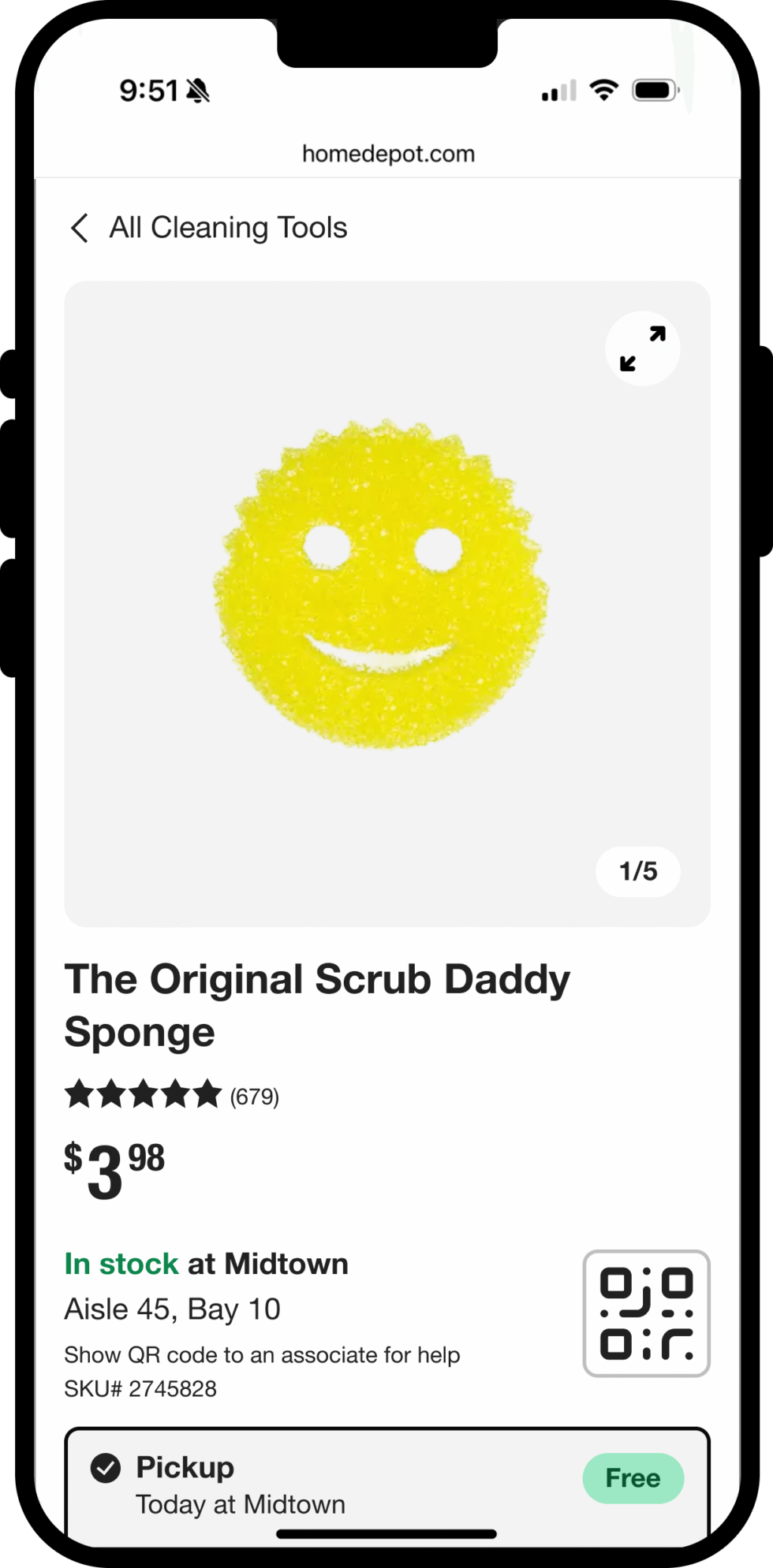
Customers were arriving at stores with screenshots of the mobile product page that showed only the item's photo and name: the Store SKU and aisle/bay location sat below the fold, so it never made it into the shot. Associates were left to manually search the aisle or internal systems with no identifier to go on. The information wasn't missing from the page. It just wasn't visible at the moment someone actually needed it.
Modeled the actual customer-to-associate handoff as an illustrated five-moment narrative, using AI to visualize it in place of a new research cycle. That made the operational cost concrete enough to reprioritize the mobile hierarchy: Store SKU and aisle information moved into the primary information cluster, and a scannable QR code was added above the fold as a second identification path that works even when a screenshot doesn't capture everything.
Staff UX Designer
Mobile PDP hierarchy
The Home Depot · 2024
The information was never missing: it just wasn’t visible
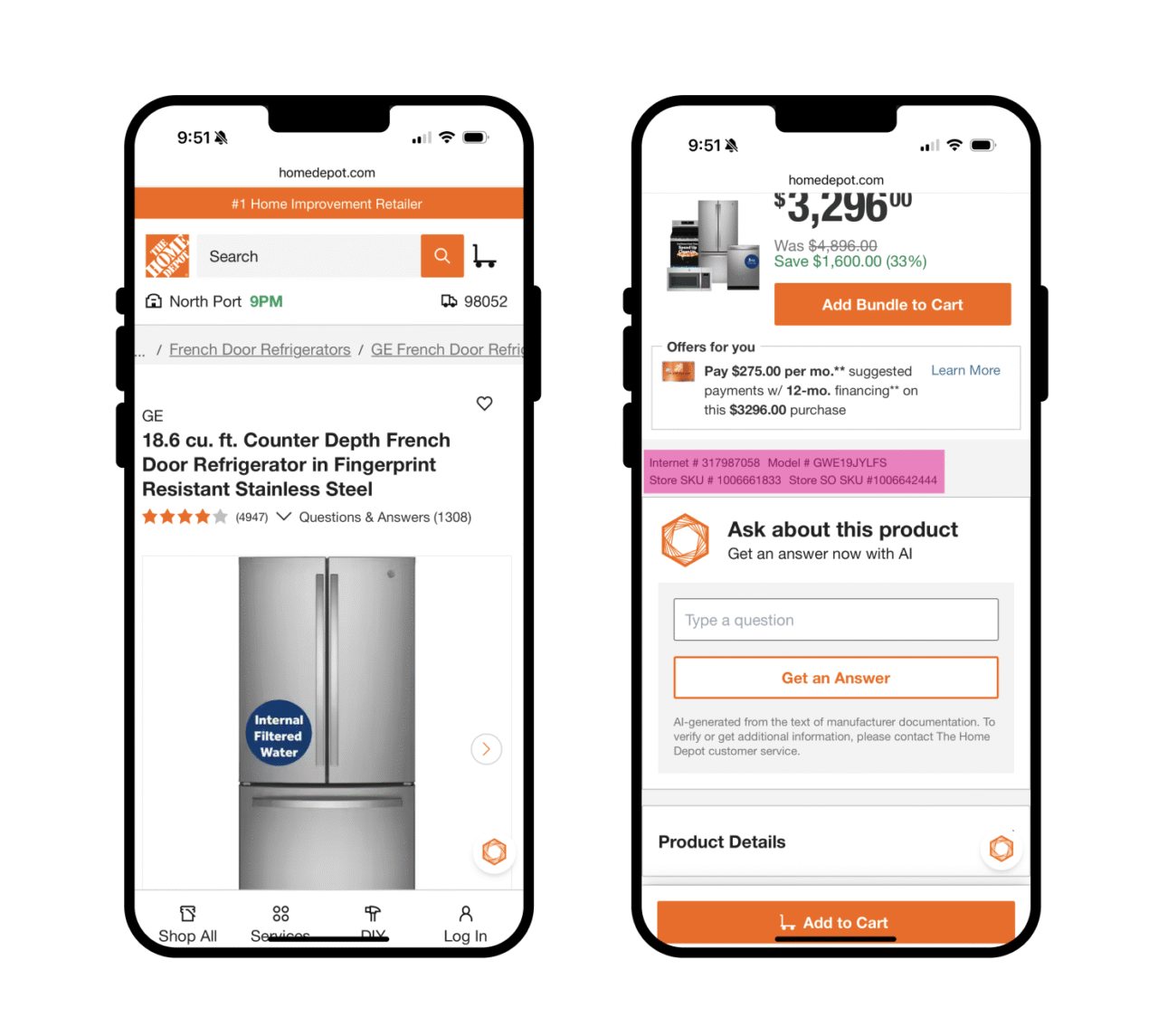
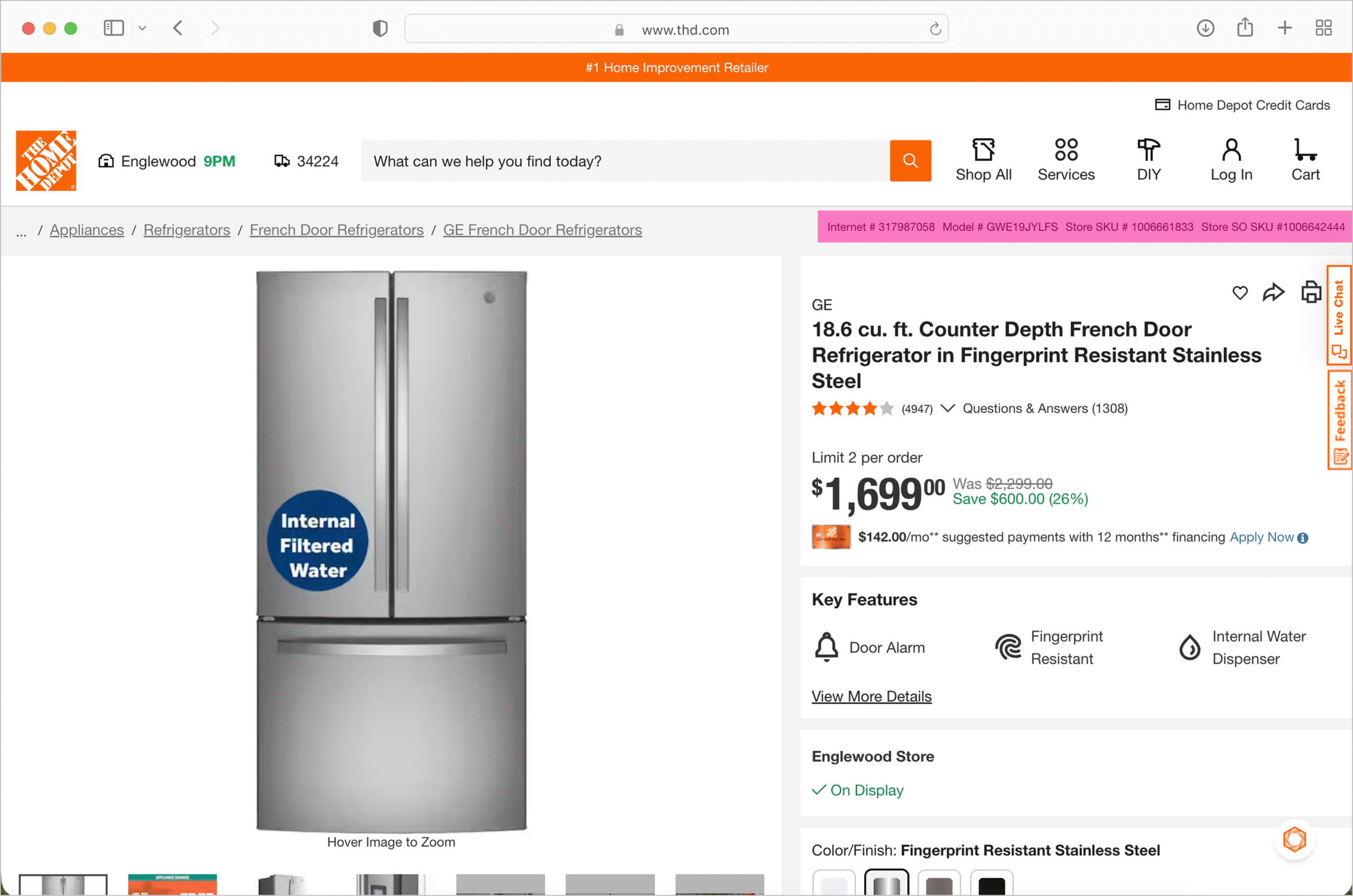
Customers doing pre-visit research on mobile took a screenshot of the product page to bring into the store. That screenshot reliably captured the product photo and name, and stopped there, before the Store SKU and aisle location several sections down. Desktop carried the same identifiers directly under the breadcrumb, no scrolling required.
Named desktop’s existing treatment as the baseline mobile had never been asked to match, and documented the exact crop: what a typical screenshot captures, next to what the full page actually contains just below it. Not a hypothesis about mobile behavior: the same scroll stop most people never get past, side by side with what they were missing.
Framing this as a hierarchy gap rather than a mobile bug. A bug gets a ticket; a hierarchy decision that already shipped correctly on one surface and not another needs someone to argue it should change, which is a slower, more political conversation.
Make the in-aisle consequence impossible to ignore
Existing artifacts documented the page thoroughly (journey maps captured the system logic, component documentation captured the placement rationale), but none of them showed what the interaction actually looked like once someone was standing in an aisle with an incomplete screenshot.
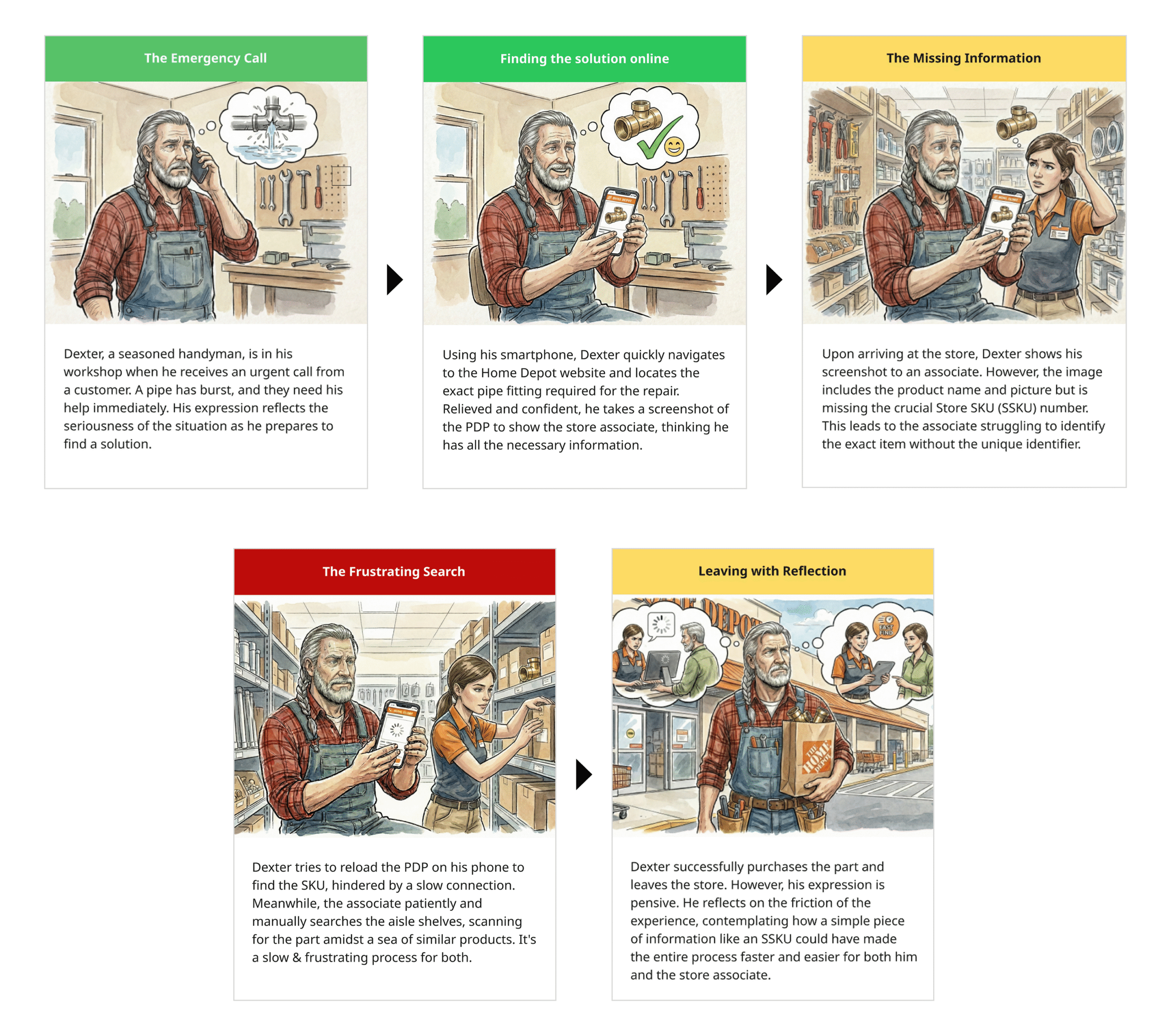
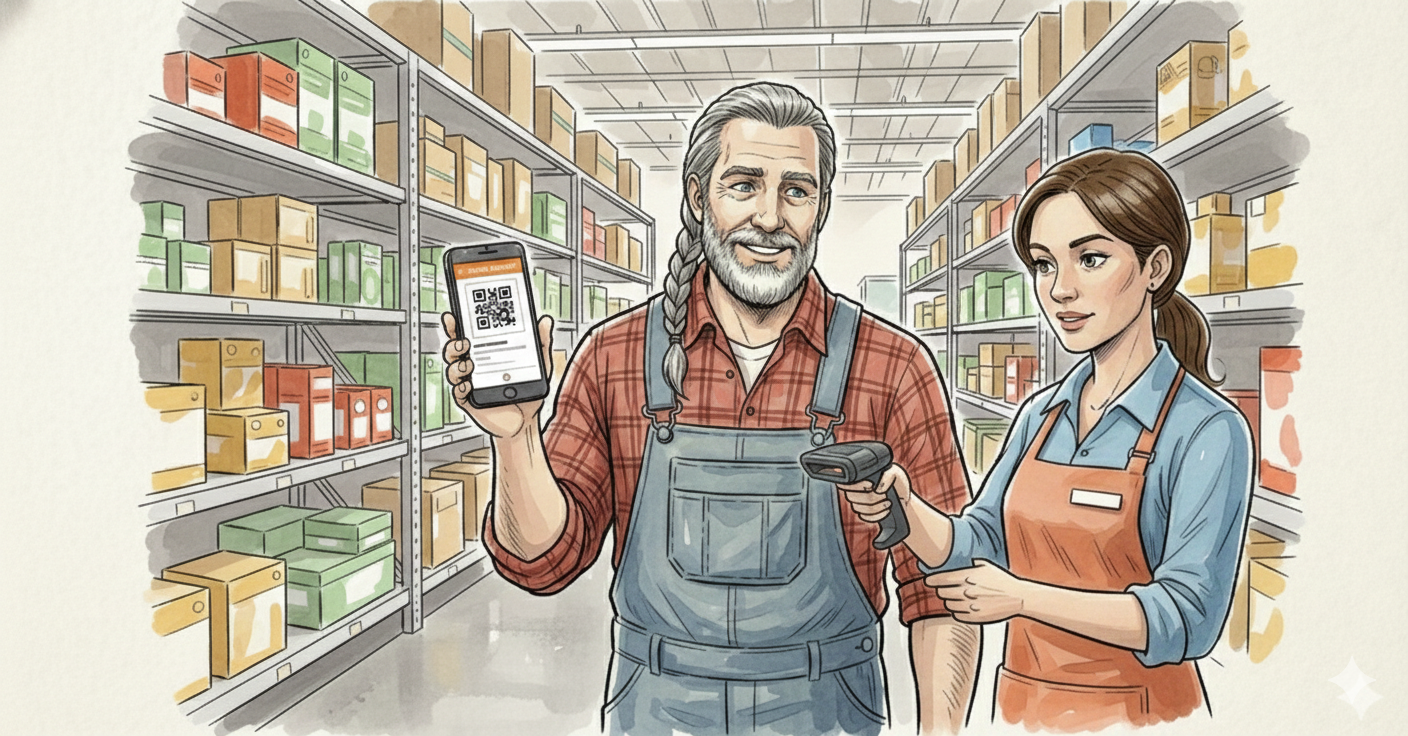
Translated the scenario into a five-moment illustrated narrative: a customer takes a screenshot, the screenshot excludes the Store SKU, the associate can’t place the item, a manual search begins, the interaction resolves anyway, slowly. Used AI to generate the illustrations rather than commissioning new research or prototypes; the exercise introduced no new findings, it reframed an existing hierarchy issue into an operational moment people could actually picture.
Being explicit about what the artifact was and wasn’t. An AI-generated storyboard is not evidence in the way a usability finding is, and presenting it as more than a translation aid would have undercut the argument the moment anyone asked where the data came from.
Rebalance the hierarchy, not just one field
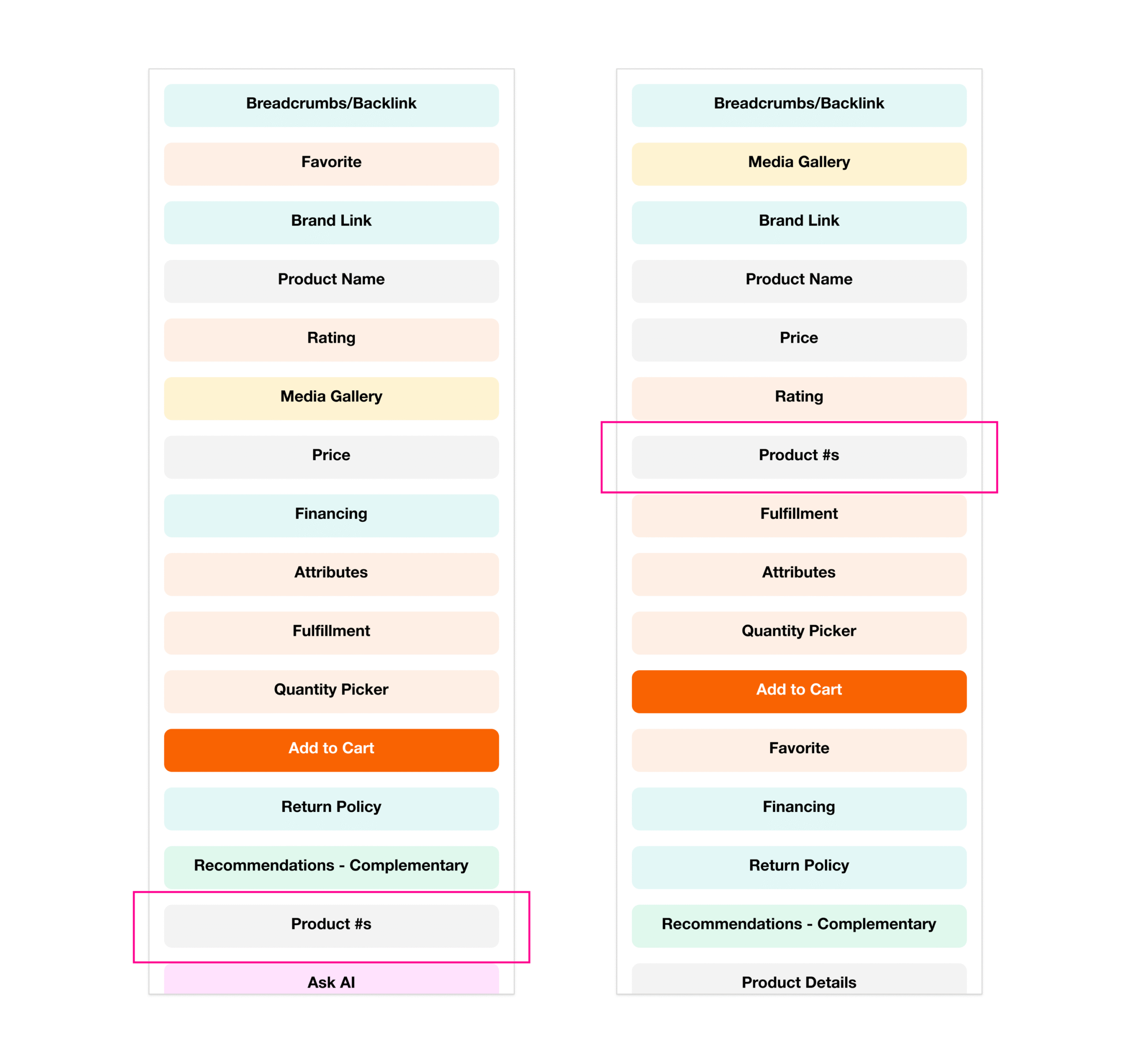
Store SKU and aisle information had been treated as secondary metadata, positioned according to a content hierarchy built around conversion. Reasonable on its own terms, but it buried the one thing a screenshot needed to carry.
Rather than moving a single field, the broader mobile hierarchy got re-modeled. Used AI to visualize alternative groupings quickly, comparing tradeoffs before committing to formal design iteration. Store SKU and aisle location moved into the primary information cluster, store availability and identifiers were grouped together, and the media gallery moved up as part of the same pass.
Reopening a hierarchy that had already been decided once, on defensible grounds. The case for moving it had to be the operational one, not a claim that the original ordering was simply wrong.
Give identification a path that survives an imperfect screenshot
Even a corrected hierarchy assumes the customer’s screenshot, or memory, is complete and current. Neither is guaranteed: a cropped image, an old screenshot, a customer who never took one at all.
Added a scannable QR code above the fold as a second identification path. Whether a customer showed a live page or a screenshot of either version, an associate could scan it directly with a handheld device and retrieve the exact product.
Coordinating past the page itself: the QR path only works if it resolves against the same in-store lookup associates already use, which made this a store-systems dependency as much as a design decision.
Let a scan replace the search
Even with better information on the page, the fastest resolution still depended on an associate correctly reading a number off a phone screen in a busy aisle, from a customer who might already be frustrated.
Skipped the reading entirely. An associate scans the code directly with the handheld device already used for inventory lookups, and the system returns the exact product: no typing, no matching a partial SKU by eye.
Depending on infrastructure that already worked rather than adding something new to learn. The design succeeds because the scan resolves against the same lookup system associates were already carrying, not because it asked anyone to adopt a new tool.
How we worked
The hierarchy conversation only moved once store operations and digital product were looking at the same moment together. The illustrated scenario gave both sides a shared reference point instead of two separate arguments (one about layout, one about labor) that had been talking past each other.
Looking back
AI wasn't the fix for the hierarchy problem; it was faster proof than a new research cycle would have been, and only useful because it was clearly labeled as a translation aid rather than passed off as evidence. It didn't replace the systems thinking or the design work; it closed the gap between having the insight and getting a room to act on it. The real test of whether that's a reusable method rather than a one-off trick is that it has since traveled to other journey gaps at Home Depot, for edge cases and prioritization conversations that had nothing to do with this page.